View on App Store
4.9
3.4M ratingsScreenshot story
The screenshots open with a broad hook showcasing Canva's versatility across design mediums, then transition into specific high-value features like social media templates, AI generation, and video editing to prove utility. It concludes by highlighting the massive depth of its asset library, positioning the app as an all-in-one creative powerhouse.
iPhone gallery
The complete screenshot set
Select any frame to study its layout, content, and palette.
Observed in the listing
Frame-by-frame listing evidence
Across 10 frames, Canva most often uses flat ui panel composition and device treatment with gradient backgrounds. 10 frames include visible caption copy.
Frame 1
Canva Design anything
- Composition / device
- collage
- Content
- onboarding
- Background
- gradient
- Copy treatment
- top, bold, empowering
Frame 2
Thousands of templates for social media
- Composition / device
- flat ui panel
- Content
- ui screenshot
- Background
- gradient
- Copy treatment
- top, informative, scale focused
Frame 3
Instantly generate a first draft
- Composition / device
- flat ui panel
- Content
- ui screenshot
- Background
- gradient
- Copy treatment
- top, benefit led, modern
Frame 4
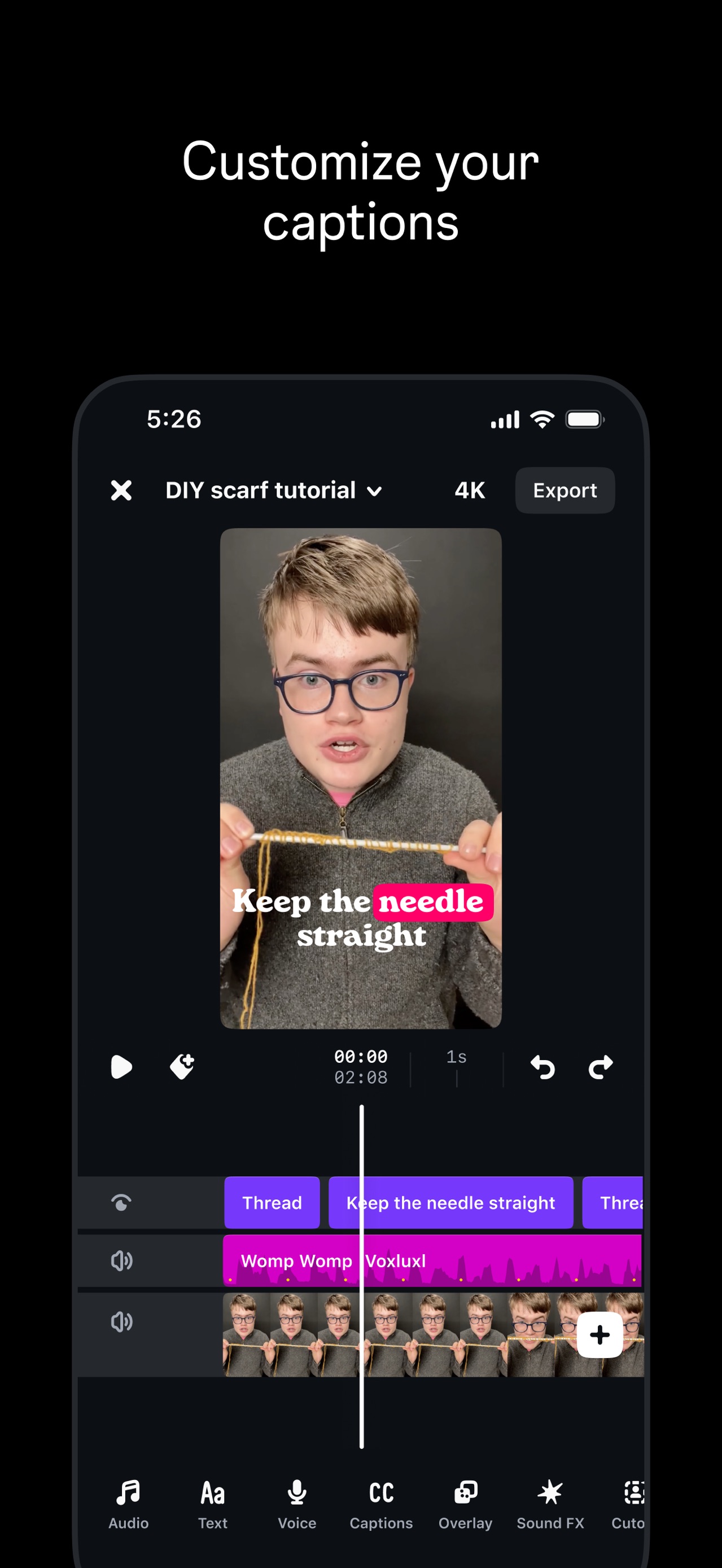
Effortless video edits
- Composition / device
- flat ui panel
- Content
- ui screenshot
- Background
- gradient
- Copy treatment
- top, simple, functional
Frame 5
Build and export on-brand emails
- Composition / device
- flat ui panel
- Content
- ui screenshot
- Background
- gradient
- Copy treatment
- top, professional, practical
Frame 6
Turn ideas into video clips with a prompt Powered by Google’s Veo 3
- Composition / device
- flat ui panel
- Content
- feature callout
- Background
- gradient
- Copy treatment
- top, innovative, technical
Frame 7
Design & edit with AI
- Composition / device
- flat ui panel
- Content
- ui screenshot
- Background
- gradient
- Copy treatment
- top, creative, helpful
Frame 8
Remove backgrounds from photos and videos
- Composition / device
- flat ui panel
- Content
- ui screenshot
- Background
- gradient
- Copy treatment
- top, utility focused, clear
Frame 9
Put your designs in mockups
- Composition / device
- flat ui panel
- Content
- ui screenshot
- Background
- gradient
- Copy treatment
- top, visual, tangible
Frame 10
Millions of photos, videos, stickers & audios
- Composition / device
- collage
- Content
- social proof
- Background
- gradient
- Copy treatment
- top, expansive, varied
Explore by detail
Study the system behind the set
Design analysis
What makes this set work
Canva employs a high-contrast, 'maximalist utility' strategy. The layout consistently places the marketing caption at the top in a clean sans-serif font, leaving the bottom 75% of the frame for detailed UI demonstrations. This 'flat-ui-panel' approach serves as a tutorial, reducing the perceived learning curve by showing exactly how the tools function. The color palette is anchored in Canva’s brand purple but uses high-vibrancy accents (neon yellow, mint green) to signal creativity and modernity. Designers can steal the 'before/after' slider technique used in the AI backgrounds slide and the 'Magic Studio' modal, which effectively categorizes complex AI features into digestible, icon-driven choices. The use of user-centric labels like 'Alex' or 'You' in the collages adds a layer of social relatability.
Keep exploring